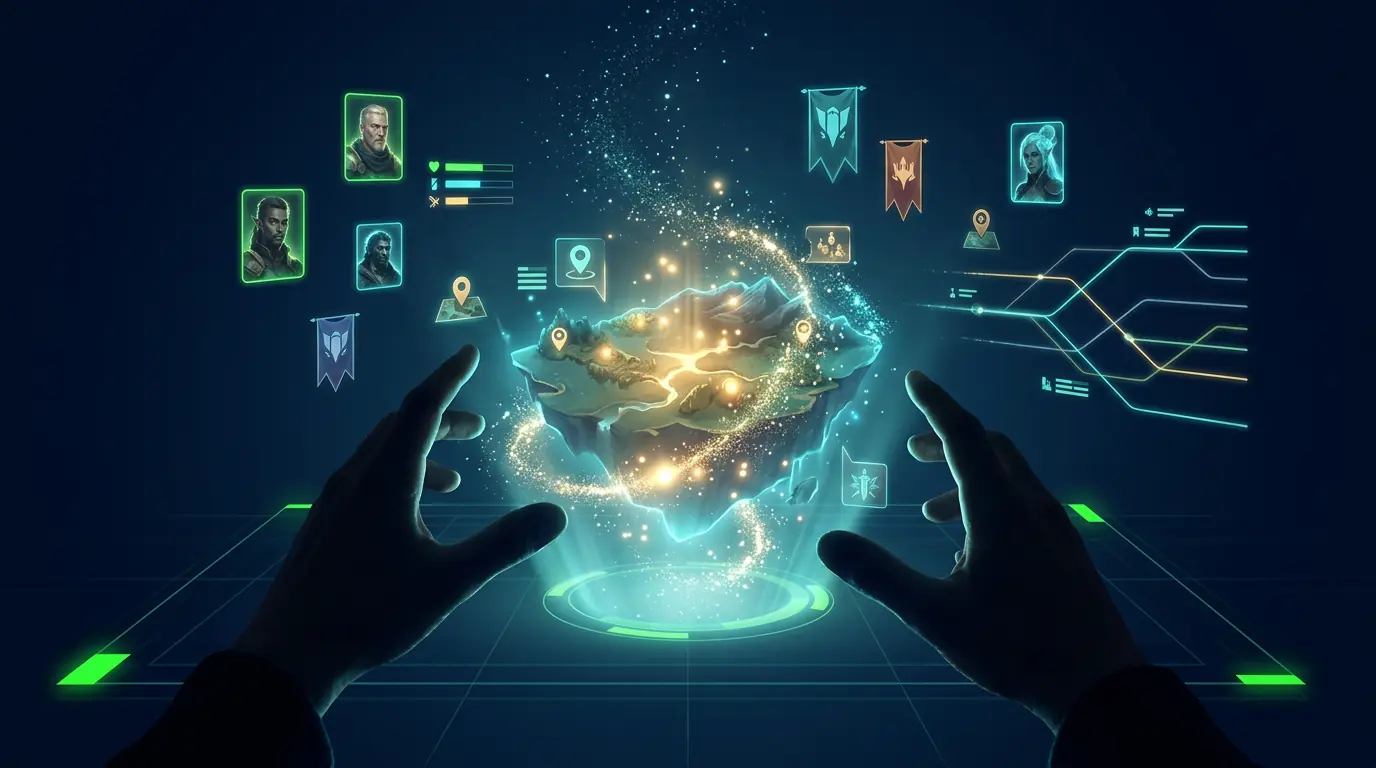
An interesting setting is not automatically a playable world. You can generate twenty locations and pages of lore, then discover that the player has no reason to act and nothing meaningful to change.
A playable AI RPG world gives the player a role, immediate pressure, characters with motives, and state that can change. The AI can then narrate scenes and react to free-form choices without resetting the campaign whenever play moves beyond a prepared branch.
This guide shows how to design that structure and build it with aiga_, from the first premise to a tested world that other people can play. You do not need to write code, but you do need to make a few real game design decisions before asking the AI to fill in the details.
What makes an AI RPG world playable?
A playable AI RPG still needs design. The creator decides who the player is, what is already going wrong, which characters can interfere, and what the world is allowed to remember. The AI can improvise scenes inside that structure. It cannot rescue a setting with no pressure or player role.
The result is not a fixed decision tree. Two players can enter the same setting, talk to different characters, back different factions, and leave the world in different states. The variation comes from play, not from generating random lore for its own sake.
This structure works for several kinds of project:
- Build a game for friends, a horror one-shot for Halloween, or an ongoing campaign.
- Prototype a story idea by playing through it instead of trying to outline every branch first.
- Create a historical simulation, language learning scenario, or classroom exercise.
- Run a group story session where remote players have to debate and vote on the next decision.
- Publish a world so other players can start their own sessions in it.
Step 1: Choose the gameplay loop
Start with what players will repeatedly do. Are they exploring and growing stronger, pursuing one objective, competing for reputation, or following a character-driven story? On aiga_, four world types turn those different loops into distinct mechanics and pacing.
AI RPG (Open World)
For how aiga_ fits searches for an AI RPG story generator, this mode is the structured campaign experience with stats and longer arcs.
A full open-world adventure with RPG mechanics. Players have stats (health, reputation, skill-based metrics), an inventory, and traits that evolve over time. The world has multiple phases that build toward a final encounter. Factions pursue their own goals in the background, and NPCs remember how the player treated them. This is the most feature-rich option and works well for fantasy epics, sci-fi survival, post-apocalyptic exploration, and anything where progression matters.
RPG Single Objective
Similar RPG mechanics to the open world, but focused around one broad goal. The AI decides when the player has achieved it. This works well for heist stories, rescue missions, mystery investigations, or any scenario with a clear finish line.
RPG Kingpin
An endless mode where players build reputation without a defined ending. There is a global leaderboard so players can compete for the highest score. This works for empire builders, crime sagas, business simulations, or any world where the fun is in climbing the ranks.
Interactive Story
A purely narrative experience with no stats, no inventory, and no death mechanics. The focus is entirely on story, dialogue, and atmosphere. This is the right pick for romance, drama, slice of life, literary fiction, or any concept where game mechanics would get in the way.
Step 2: Set the scope and rules
Next, you set three properties that shape how much content the AI generates:
Language
Choose from 16 supported languages. The AI generates all world content, NPC dialogue, and narration in your chosen language. This is not machine translation layered on top of English. The entire world, including character names, place names, and cultural references, is generated natively in that language.
World Size
This controls how much the AI creates:
| Size | Locations | Characters | Factions |
|---|---|---|---|
| Small | 5 places | 4 NPCs | 3 factions |
| Medium | 10 places | 8 NPCs | 5 factions |
| Large | 14 places | 10 NPCs | 8 factions |
| Huge | 20 places | 18 NPCs | 10 factions |
Bigger is not always better. A small, tightly designed world can be more compelling than a huge one with spread-out content. Start small if it is your first world.
Reading Age
Choose between a kid-friendly vocabulary or an adult one. This affects the AI's language, themes, and intensity level throughout the entire experience.
Step 3: Write the premise, pressure, and player role
This is where you bring your idea to life. You provide three pieces of information that the AI uses as the foundation for everything it generates:
If you need a starting conflict, choose one of these 12 playable AI RPG prompts, then adapt its role, pressure, factions, and opening decision.
Theme and Story Outline
A free-text description of your world concept. This can be as short as a sentence or as detailed as a few paragraphs. The AI reads this and builds the entire world around it: locations, NPCs, factions, conflict, and plot structure. The more specific you are, the more tailored the result.
For example: "A cyberpunk megacity in 2087 where five megacorps control different districts. The player is a freelance fixer caught between corporate espionage, underground resistance, and a rogue AI that is waking up in the city's infrastructure."
Narrative Tone
This sets the mood for the entire experience. You can choose from tones like lighthearted, dark, epic, mysterious, comedic, wholesome, gritty, cinematic, surreal, and more. The tone affects how the AI writes narration, how NPCs behave, and what kinds of events unfold.
Your Hero
Give your main character a name and a description. This is who the player becomes when they enter the world. The AI uses the hero description to shape how NPCs react, what dialogue options feel natural, and how the character fits into the world's power dynamics.
Turn the premise into playable game state
Once you submit your concept, the AI generates a complete world in about a minute. Here is everything you get:
A Full Map with Points of Interest
The AI creates a spatial map with named locations spread across it. Each location has a description, visual prompts for art generation, and a role in the story. Players travel between these points as the narrative progresses. A small world has 5 locations; a huge world has 20.
Characters with Depth
Every NPC gets a name, role, personality, physical description, attitude toward the player (ally, neutral, or hostile), a starting location, traits, their own inventory, and personal stats. NPCs are not just dialogue dispensers. They have motivations, and their relationship with the player evolves based on how interactions go.
Between story events, players can @mention any character to start a free-form conversation. Ask the suspicious merchant what they really know. Convince the rival faction leader to switch sides. The AI stays in character based on each NPC's personality and attitude.
Factions with Goals
Factions are groups that exist in your world with their own descriptions, goals, and attitudes. They act autonomously in the background. A faction might seize territory, betray an ally, or come to the player's aid based on how the story unfolds. This makes the world feel alive even when the player is not directly interacting with a faction.
Player Stats and Inventory
For RPG world types, the AI generates 4 to 7 stats tailored to your theme. A horror survival world might have Sanity, Stamina, and Suspicion. A political drama might have Influence, Wealth, and Public Trust. Each stat has a range and can be marked as spendable or lethal (game over if it hits zero or max).
The player also starts with 2 to 3 inventory items relevant to the setting. New items, traits, and stat changes are earned through gameplay as the story progresses.
Lore and World Context
The AI writes background lore that it references during gameplay. This includes the world's history, the relationships between factions, cultural details, and the current state of affairs when the story begins. You do not need to write any of this yourself. The AI infers it from your theme and generates internally consistent lore.
Story Progression
For RPG worlds, the AI creates a progression structure with phases that build toward a final encounter. Each phase has transition conditions: reach a certain stat threshold, gain a specific trait, discover a location, shift a faction's attitude, or hit a story milestone. This ensures the narrative has momentum without being on rails.
Use art to support recognition and continuity
When a player starts a game in your world, they pick from 12 visual art styles that determine how every scene is illustrated. Alternatively, they can play in text-only mode. The art style is a player choice, not a creator choice, so the same world can look completely different depending on who is playing.
The available styles are:
Players can also use the photo-to-hero feature to upload a photo of themselves as a character reference. It can improve recognition across scenes, though generated faces, clothing, and composition can still vary. Read our guide to AI RPGs with images for image frequency, cost, and consistency tradeoffs.
Test solo first, then test with other players
Once your world is generated, you can play it solo or invite others. Here is how sharing works:
Publish to Shared Worlds
The Shared Worlds library is a public catalog where anyone can browse and play community-created worlds. Publishing your world makes it discoverable by thousands of players. You choose an art style for the listing, generate preview assets, and submit it. Other players can then start their own sessions in your world.
Multiplayer Sessions
Any world supports multiplayer with up to 10 players in the same session. The game presents story choices and players vote in real time with a countdown timer. The majority decision drives the story forward. You can also invite players as viewers who follow along without voting.
Cross-Platform Play
Games run natively on the web, Discord, Telegram, and X. A single session can have players joining from different platforms simultaneously. This makes it easy to bring a group together regardless of where they prefer to hang out online.
How to keep an AI RPG world playable
After seeing thousands of community-created worlds, here is what separates the ones people keep coming back to:
- Be specific in your theme. "Fantasy kingdom" gives the AI less to work with than "A crumbling elven empire where the last three noble houses compete for a dying king's throne while an ancient curse spreads from the northern forests." Detail breeds better worlds.
- Match world size to your concept. A contained thriller (escape room, heist, single night) works best as a small world. An open-ended exploration or political saga benefits from large or huge.
- Choose the right world type. If your story does not need combat or stat tracking, use Interactive Story mode. Forcing RPG mechanics onto a romance or drama can feel awkward.
- Narrative tone matters more than you think. A gritty tone on a lighthearted concept creates dissonance. A wholesome tone on a horror concept undercuts the scares. The tone affects every piece of text the AI writes.
- Write a compelling hero description. NPCs react to who the player is. A hero described as a "disgraced former general seeking redemption" gets different interactions than one described as a "curious traveling merchant."
- Test before you publish. Play through your own world at least once to see how the AI handles your concept. If something feels off, you can regenerate the world with adjusted settings.
- Think about multiplayer. Worlds with clear moral dilemmas, faction choices, and high-stakes decisions are especially fun in group play because players disagree and debate before voting.
AI RPG world builders and lore tools solve different jobs
aiga_ is not the only option for creating AI-driven interactive experiences. Depending on your goals, these alternatives might also be worth exploring:
- NovelAI: Best for solo authors who want deep control over prose style. Its Lorebook system lets you define characters, locations, and rules that the AI references across long sessions. No multiplayer or visuals integrated into the story flow, but the writing quality is excellent.
- AI Dungeon: The original AI text adventure. You can create and share scenarios, but world-building is more freeform with less structured content generation. Good for open-ended improvisation, less suited for designed experiences.
- ChatGPT or Claude:General-purpose AI models that you can prompt into running an interactive story. Flexible but requires manual setup, loses context in long sessions, and has no built-in game features like maps, stats, or multiplayer.
- WorldAnvil: A dedicated world-building tool for tabletop RPG creators. Excellent for lore documentation and campaign planning, but it is a writing tool, not a playable AI experience.
The key difference with aiga_ is that you describe your concept and the AI generates a complete, playable world with characters, factions, stats, locations, and progression, all ready to go within a minute. Other tools require you to build each piece manually or settle for plain text without visuals, multiplayer, or game mechanics.
FAQ
Is it free to create an AI story world?
Yes. Creating a world on aiga_ is completely free. You can generate as many worlds as you want at no cost. Free accounts get 5 text-only turns per day. Paid subscriptions start at $8.99/month and include text play: world creation, game starts, story turns, and chat. Generated images and video use media credits.
Do I need to know how to code?
No. The entire process is guided. You type your concept in plain language, choose a few settings, and the AI handles the rest. There is no scripting, no markup, and no programming involved.
How long does it take to create a world?
About five minutes of your time to fill in the creation form, then roughly a minute for the AI to generate everything. You can be playing your new world within ten minutes of having the idea.
Can I edit the world after it is generated?
You can review and manage your world through the World Details panel, which shows your hero, objectives, locations, characters, and factions. You can also set reference images for characters and locations. If the generated world does not match your vision, you can regenerate it with adjusted settings.
What languages are supported?
aiga_ supports 16 languages natively: English, French, German, Spanish, Portuguese, Italian, Russian, Japanese, Chinese (Simplified), Chinese (Traditional), Arabic, Polish, Turkish, Thai, Korean, and Vietnamese. The AI generates all world content in your chosen language from scratch.
Can other people play my world?
Yes. You can invite specific players to a session, or publish your world to the Shared Worlds library where anyone can discover and play it.
What makes a good theme description?
Specificity. Instead of "zombie apocalypse," try "A coastal town three months after a fungal outbreak. The remaining survivors are split between a militarized harbor compound and a group hiding in the old lighthouse. Resources are running out and trust is breaking down." The more context you give, the more coherent and unique the generated world will be.
Build a world somebody can actually play
Start with a player role and a source of pressure. Then turn the idea into an AI RPG world with persistent characters, choices, and state.
Build Your AI RPG World